

Imagine sitting at your desk, surrounded by a mountain of lesson plans, parent communications, and classroom announcements. As a teacher, I know the feeling of being overwhelmed by too many tasks. But, there’s a simple solution to this chaos: templates. They are key tools for making work easier and saving time.
Templates can be many things, like Excel spreadsheets for budgeting or structured lesson plans. They help cut down the time spent on the same tasks. With classroom technology, teachers can use templates for tracking student progress and managing schedules. This makes work better by reducing mistakes and keeping things consistent.
In this article, we’ll look at why templates are important for better workflows. We’ll see how they boost productivity and how you can make them your own. By using templates, teachers and professionals can find more organization and ease in their work.
Key Takeaways
- Templates help teachers manage and streamline multiple tasks efficiently.
- Using templates reduces errors and boosts consistency in processes.
- Custom templates can be adapted to fit specific teaching needs.
- Templates support automation in various classroom operations.
- Regular maintenance of templates ensures their ongoing effectiveness.
- Templates can simplify complex tasks and improve overall productivity.
The Importance of Templates in Workflow Management
Templates are key in workflow management. They give structure and consistency, making it easier for teams to handle repetitive tasks. By using templates, task execution improves, leading to smoother project transitions.
CRM platforms like Act! offer many templates for emails, social media, and documents. This flexibility helps us tailor templates to our specific needs, optimizing our workflow.
Using pre-designed email templates saves a lot of time. With templates for various industries, tasks become less complicated. This leads to more efficient processes, saving time and resources.
Templates also boost productivity and ensure consistent branding. They help avoid errors in customer interactions, keeping our image polished.
Templates improve task execution and automate CRM systems. They make tasks that once needed manual input easier. This allows for growth as businesses expand.
They also help in replicating successful workflows for more clients. Plus, they aid in meeting regulatory standards, especially in financial services.
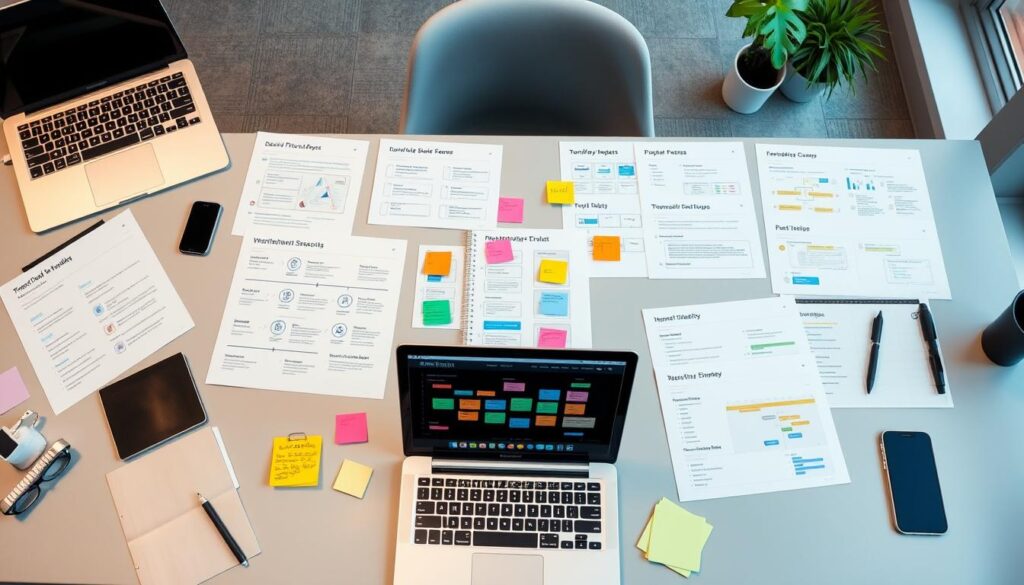
Visual tools like flowcharts help clarify responsibilities and processes. Doing a workflow audit is crucial to find and fix inefficiencies. Adding automation and AI can make us even more efficient.
Templates also help teams work better together. They improve communication, break down barriers, and encourage ongoing improvement.
Streamlined Workflows: The Backbone of Efficiency
Adopting streamlined workflows is key to achieving operational efficiency. By using templates in daily tasks, I’ve seen a big boost in productivity. Templates guide me, cutting down on repetitive work and saving time.
With tools like SmartSuite, I manage Sales, HR, Marketing, and Operations easily. It’s designed for teams of all sizes, making workflows smooth. SmartSuite cuts down process time and improves the quality of work, leading to happier customers.
Automated tools like Microsoft Power Platform also help. They make it easy to merge old data with new workflows. This boosts productivity by letting me create custom apps and automate tasks. It reduces labor hours, waste, and costs, making operations more efficient.
Benefits of Using Templates for Improved Efficiency
Using templates brings many benefits that make work flow better. They save a lot of time and keep tasks consistent. This is especially true in places where time and accuracy matter a lot.
Time-Saving Advantages of Templates
Templates are great because they save time. They cut down on time spent on the same tasks, letting people do more important things. With features like dropdown menus and auto-populated fields, documents get done faster.
This speed is key in busy places like marketing and healthcare. It helps them meet deadlines quickly.
Consistency Across Tasks and Projects
Templates make sure everything looks the same, which improves efficiency. They help keep important data the same, following rules and reducing mistakes. This way, projects are always up to standard.
Using the same template means less chance of mistakes. It keeps quality high and makes sure everything looks right. This makes sure every project looks good and follows the brand’s style.
How Templates Enhance Workflow Optimization
Templates play a big role in making workflows better. They set up clear steps for complex tasks. This way, I can make sure everyone knows their part and what to do.
This clear understanding helps avoid mistakes. It also makes sure everyone works efficiently together.
Establishing Clear Processes with Templates
Templates help me lay out the steps for different projects. Each one acts as a guide, showing where things might slow down. This helps my team stay on track and avoid getting lost.
By following these steps, we can focus on getting things done. This makes our work better and more consistent.
Customization: Tailoring Templates to Unique Needs
Templates are great because they can be changed to fit your needs. I can make them work for my team and projects. This means I don’t have to use the same thing for everything.
Custom templates help us work better because they match our specific needs. Every change helps us improve how we work together.
Real-World Examples of Effective Template Usage
Templates make work easier in many fields. They help in education and marketing, making things more efficient and productive.
Streamlining Classroom Operations for Educators
Teachers use templates to organize their lessons. These templates help them plan better and teach more consistently. They save time and make learning better.
Teachers also use templates to talk to students and parents. This keeps everyone up to date on important school news. It makes the classroom run smoothly and makes learning fun.
Using Templates in Marketing Agencies for Better Project Management
Marketing teams use templates to manage their projects. They plan campaigns using templates that outline goals and deadlines. This keeps everyone on the same page.
For example, a template helps teams know their roles and track progress. This makes working together easier and helps meet deadlines. It also makes sure the work is of high quality.
Creating Templates for Workflow Automation
Workflow automation changes how we do tasks, making them smooth and efficient. Making good templates is key to this change. It sets up workflows that boost productivity. I’ve found that spotting repetitive tasks is the first step to making these templates.
This approach cuts down on mistakes and speeds up work. It’s a big win for any team.
It’s important to know that different plans offer different workflow options. For example, Enterprise plans can use custom objects, while others might not. The data panel’s flexibility helps automate tasks like sending emails or creating tasks.
Templates bring many benefits across various fields. HR teams can save time on hiring and training with the right templates. Insurance agents can also streamline claims processing. These templates come with features like drag-and-drop fields and alerts, making document management easier.
Using the workflow minimap is a great tip. It gives a clear view of the workflow, which is handy for big projects. Tracking contacts and using the workflow history helps us see how we’re doing. This is crucial for complex projects where clear goals and timelines are needed.
In summary, workflow automation with good templates cuts down on manual work. It ensures things are done right and fast. As I explore this further, I see that a solid framework is key. It all begins with using templates wisely.
Best Practices for Designing User-Friendly Templates
Designing templates that are easy to use is my top priority. Good user-friendly templates make things easier and faster. It’s important to know what users need.
I keep things simple. Each template should have a clear goal. This way, users can quickly get through their work.
Getting feedback from others is key. It helps me make changes and keep templates up-to-date. This is especially important as projects grow and change.
Visuals are important for clear designs. Good layouts help users understand and stay interested. I organize tasks by importance to boost productivity.
This approach makes sure everything works smoothly together. It helps everyone do their tasks better.
Adding automation makes things even better. Digital tools cut down on manual work and make things more accurate. I make sure templates have all the needed steps for completing tasks.
Overcoming Common Challenges with Template Implementation
Starting with templates in workflow management can be tough. I see many challenges in implementation teams face, especially when they resist change. Offering a familiar template framework helps ease this transition.
Teams start to see the value of clear formats. This makes them more open to change.
Complex templates can confuse people. It’s key to keep them simple. This makes them easier to use and more efficient.
Templates that need less input are less prone to errors. This boosts accuracy. In my work, templates have cut down on mistakes and improved compliance.
Customizing templates can be hard, especially when teams have unique workflows. I recommend getting team members involved in creating templates. Their input is crucial for making templates that everyone can use.
Having feedback loops helps keep templates relevant. This ensures they meet the organization’s evolving needs.
Support and training are vital as I tackle these challenges. Clear guides and help make teams confident in using new templates. Highlighting the benefits of standardization while keeping things flexible leads to success.
Encouraging Team Collaboration Through Shared Templates
In today’s fast-paced work world, shared templates are key for teamwork. They offer a common starting point for tasks, making communication easier and keeping project documents consistent. This unity helps team members work together better, leading to smoother business operations.
With more people wanting to work from home, tools like Zoom and Dropbox are vital. They help teams stay connected and share ideas, no matter where they are. This setup supports a strong company culture and makes workflow management more efficient.
Being open and collaborative is also important. It allows for healthy debates that can lead to new ideas. Recognizing team achievements and offering mentorship are key to building a strong team spirit. Shared templates are a powerful tool for improving teamwork and achieving success together.

Co-Founder & CMO at Merfantz Technologies Pvt Ltd | Marketing Manager for FieldAx Field Service Software | Salesforce All-Star Ranger and Community Contributor | Salesforce Content Creation for Knowledge Sharing